Authorising a representative
Can I authorise a representative to help manage my membership?
- As a writer member, you can authorise your manager(s), business associates, or other trusted individuals to have access and/or receive documents and correspondence on your behalf.
- There are three levels of access: Full, Claim & Register or Financial.
- Authorisation and any subsequent cancellation can be done in the Writer Portal or via a form.
How to assign a level of authorisation
Do you need someone in your team to register songs, review and download statements, and/or communicate directly with us on your behalf?
If so, you can elect for an authorised individual or individuals to gain access to suit your needs.
We recommend you Log in to the Writer Portal to add your ‘Team contacts’ and select their ‘Access roles’.
There is also the option to complete and submit a Letter of Authority form (PDF).
You may grant one of three levels:
Full access
(The most comprehensive)
- Access to all areas of membership information, excluding AGM voting
- View and update contact information
- Register works (songs and compositions)
- Create setlists
- Submit Performance Reports
- Review financial documentation, including Remittance, Statements and Earnings Insights
- Communicate with APRA AMCOS on all queries and issues related to your membership
- With ‘Full Access’, an individual can add all access types for other representatives, including ‘Full Access’.
- ‘Full Access’ roles cannot remove or edit another ‘Full Access’ role's permissions or details once added. To remove or update, they must contact an APRA AMCOS representative, and the request will be assessed.
- ‘Full Access’ roles can remove and edit ‘Claim and Register’ and ‘Financial’ roles.
Claim and Register
- Register works and upload works that are used in advertisements on broadcast radio and TV.
- Create setlists and submit Performance Reports
- Communicate with APRA AMCOS on all queries and issues related to registering/registered works, setlists or claims.
Financial
- Review financial documentation, including Remittance, Statements and Earnings Insights.
- Communicate with APRA AMCOS on all queries and issues related to pending or received income and/or financial documentation.
- Request further financial reporting.
Step-by-step guide
Head to the Writer Portal and log in to get started.
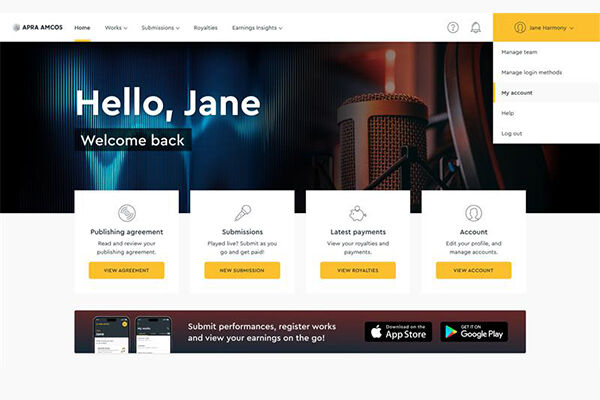
Step 1
Navigate to 'My Account' via the profile menu.
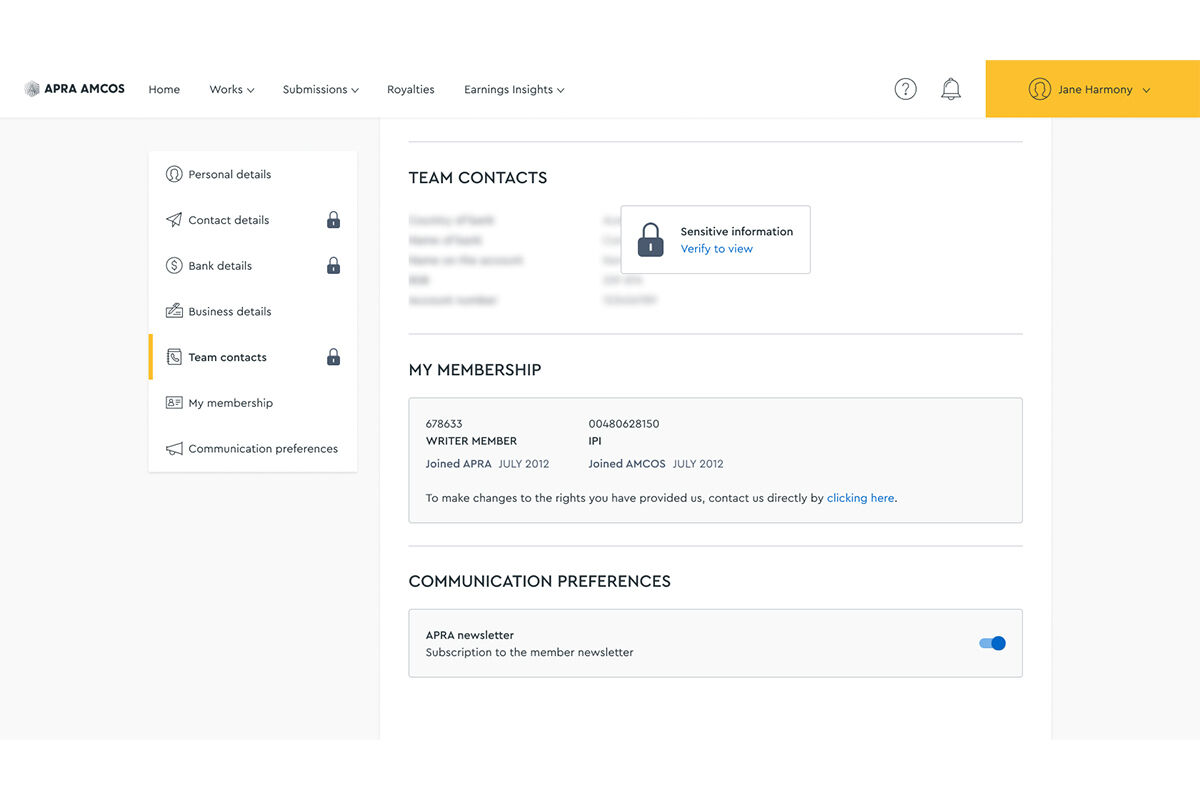
Step 2
Click on the ‘TEAM CONTACTS’ locked section.
Please note that sections that contain sensitive information are verification code protected.
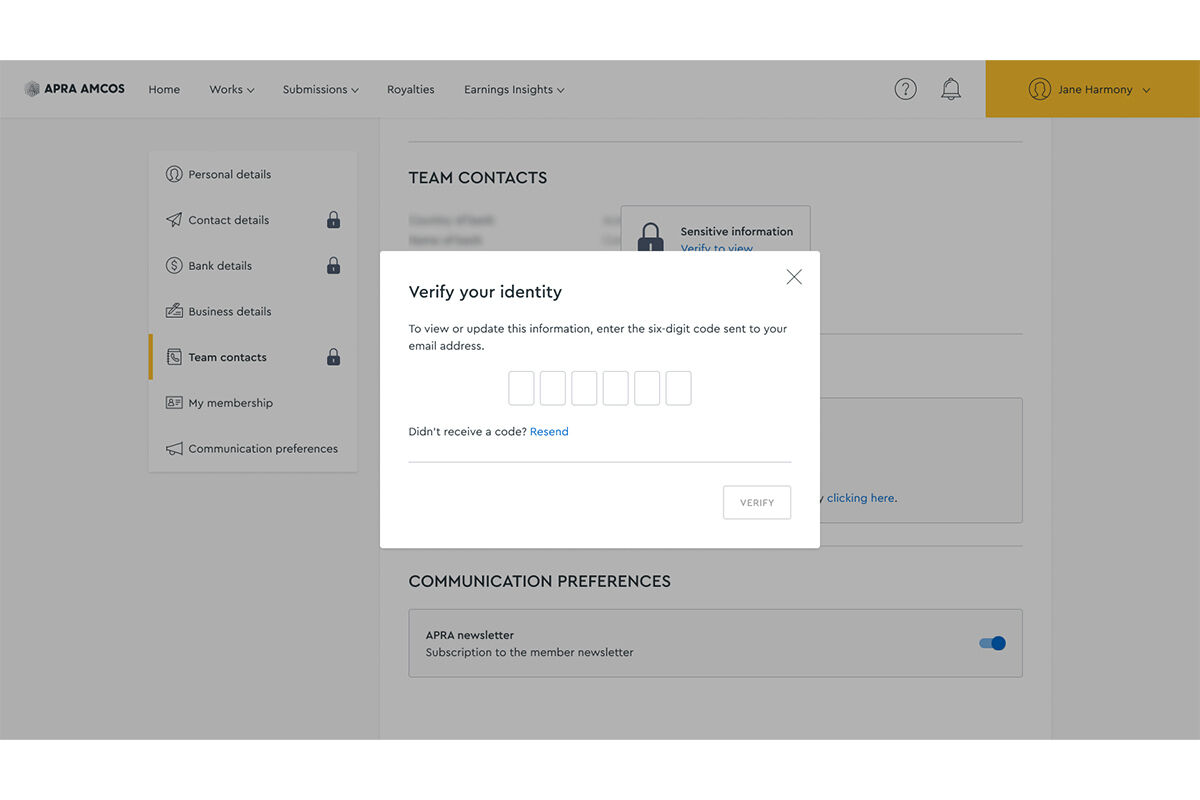
Step 3
Enter the verification code to view and edit your details
Code not receieved? Check junk/spam email folders. Click 'Resend' if necessary.
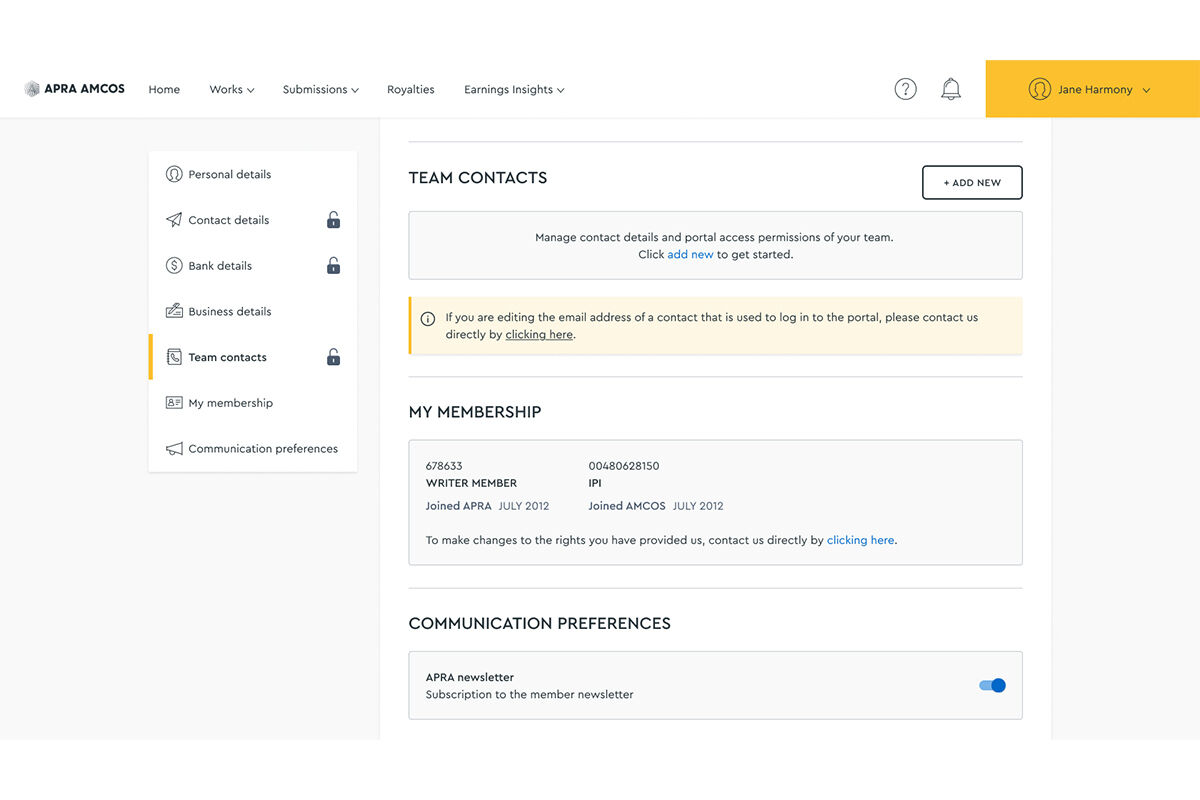
Step 4
Secure access is granted. You can add, view and edit portal access permissions
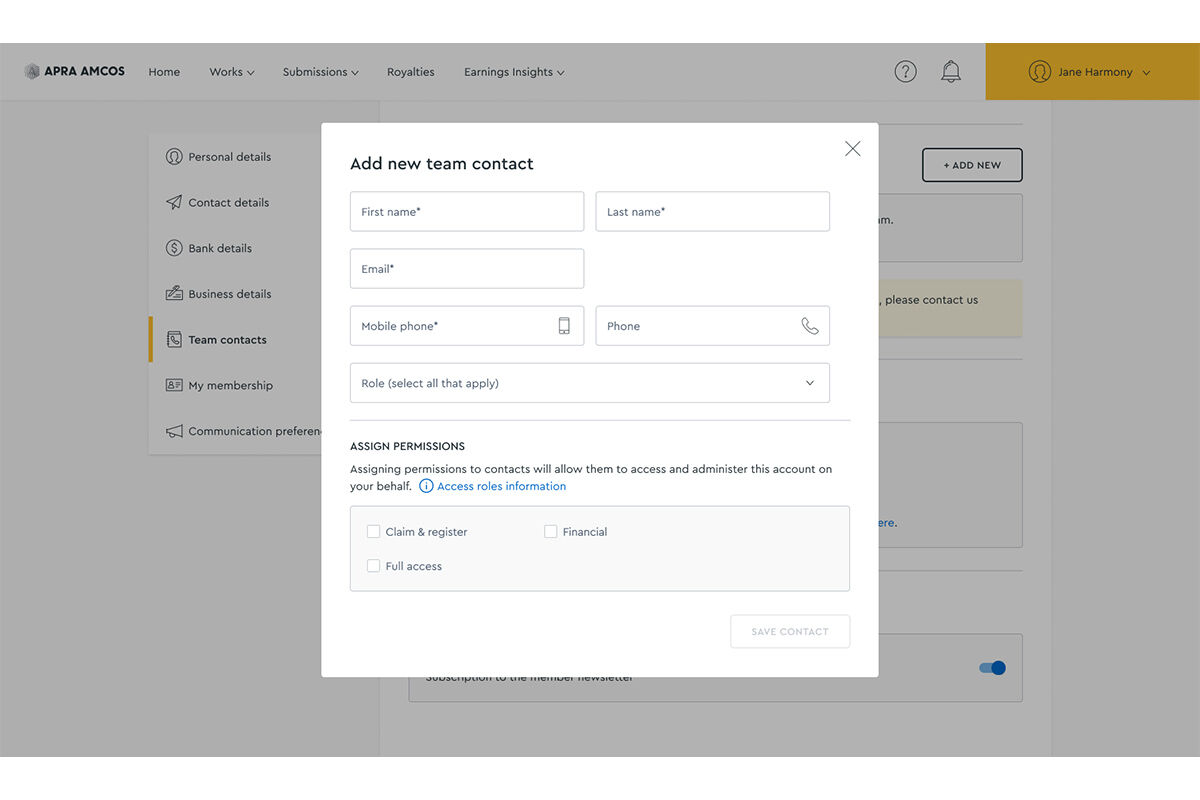
Step 5
Add a new contact
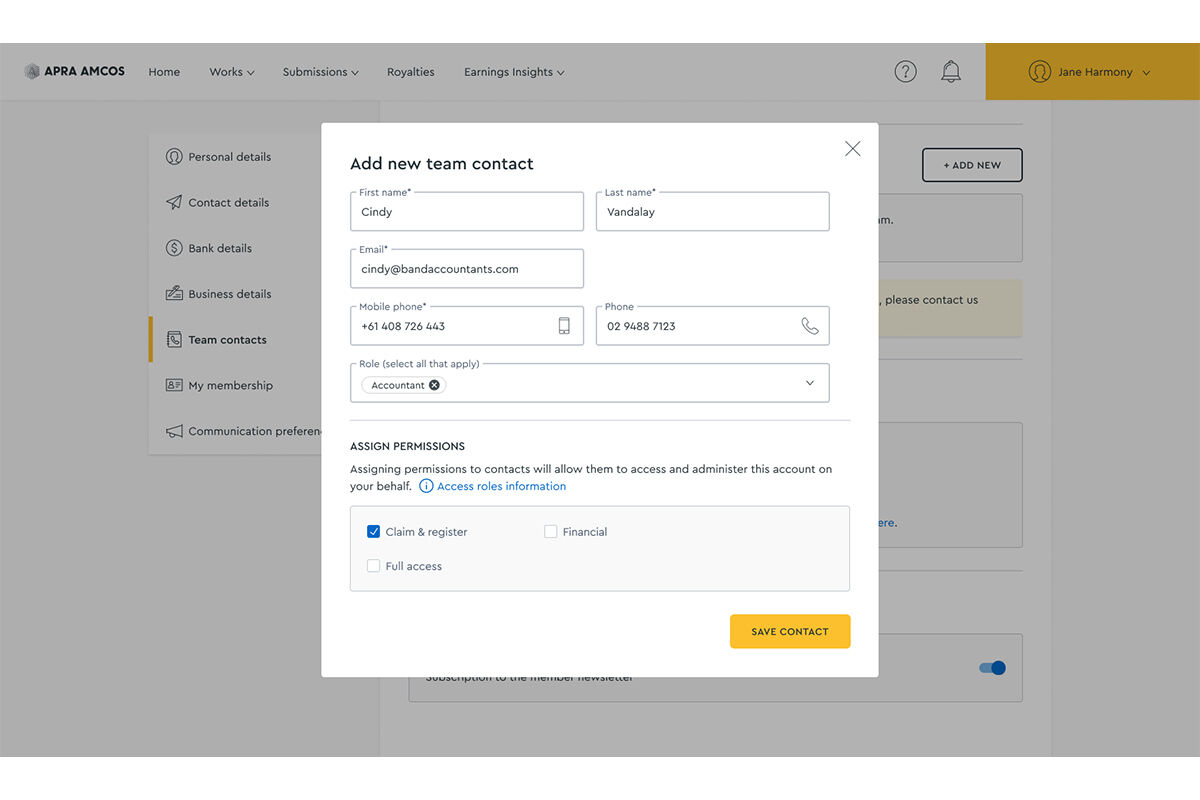
Step 6
Complete the mandatory fields and select the access level you would like to grant
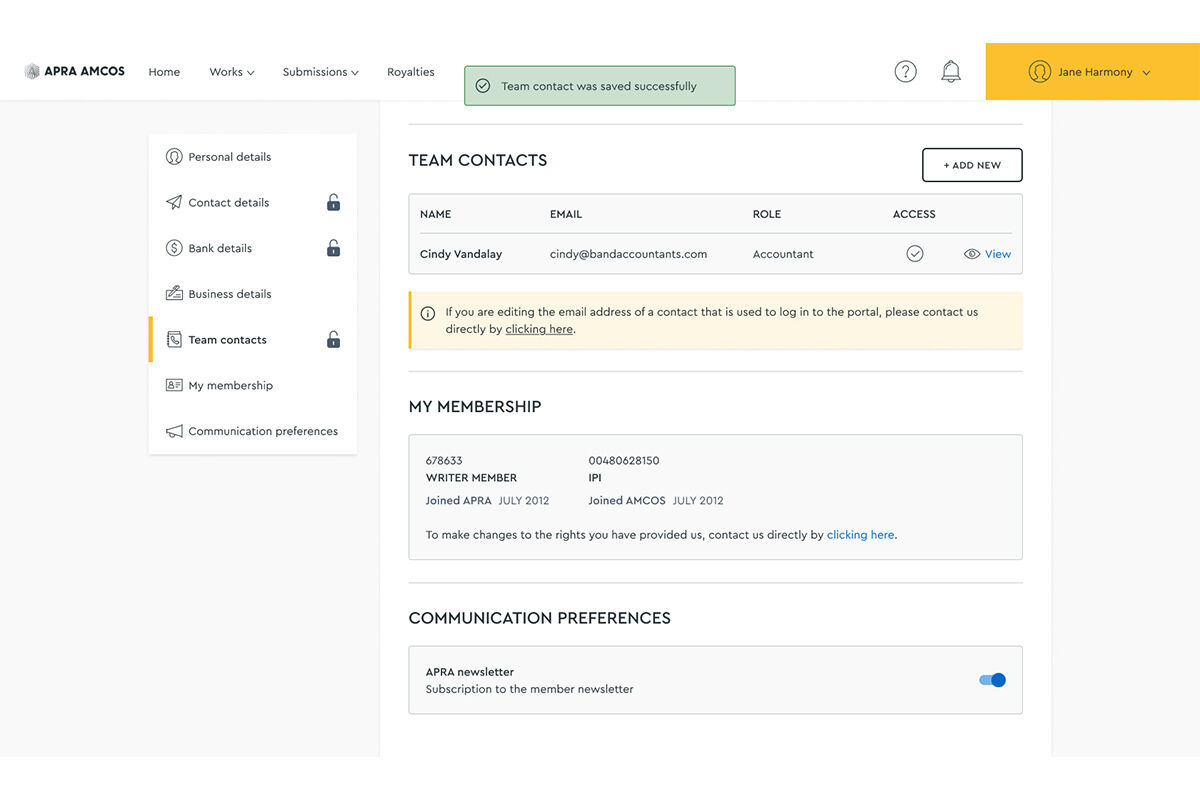
You’ll see a success message on screen.
Removing authorisation
In the Writer Portal, go to ‘Team contacts’ and select ‘Access roles’. Remember, ‘Full Access’ roles cannot remove or edit another ‘Full Access’ role's permissions or details once added. Please contact Writer Services for assistance.
There is also the option to use the Letter of Authority Cancellation form (PDF).