Add AMCOS membership and more in the Portal
Our step-by-step guide for writers

The Rights Management Hub in the APRA AMCOS Writer Portal is where you can view and manage the rights we administer on your behalf.
From there, you can:
- Review your current membership details
- Apply for AMCOS membership (if required)
- Request changes to or make enquiries about your rights
Obtaining AMCOS membership means you can authorise APRA AMCOS to manage reproduction rights for your music, which may include uses such as streaming, downloads, or physical formats.
Before you start
You are eligible to join AMCOS if you:
- are a writer or music publisher; or
- otherwise control or have an interest in reproduction rights in musical works (including if you are a trustee or beneficiary of an estate that involves musical works).
If you are a published writer, your publisher will likely already be an AMCOS member and collect reproduction royalties on your behalf. So, you will not have to join AMCOS separately.
Also, even if you are an unpublished writer, you probably do not need to join AMCOS until your music is available to music users, for instance as a download, on a streaming service or in a recorded format like an LP or CD.
How to add AMCOS membership
Step 1:
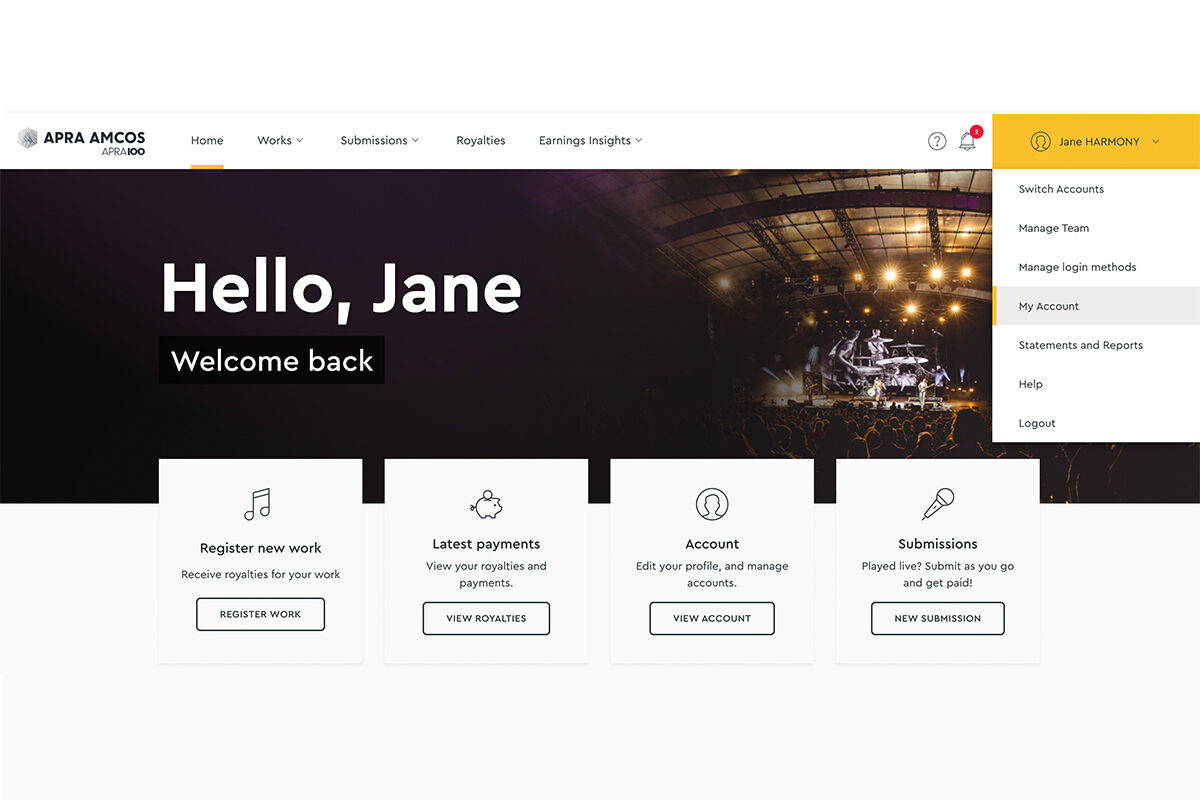
Go to your account
- Log in to the Portal (here’s our How-To Guide)
- Open the top-right menu
- Select My Account
Step 2:
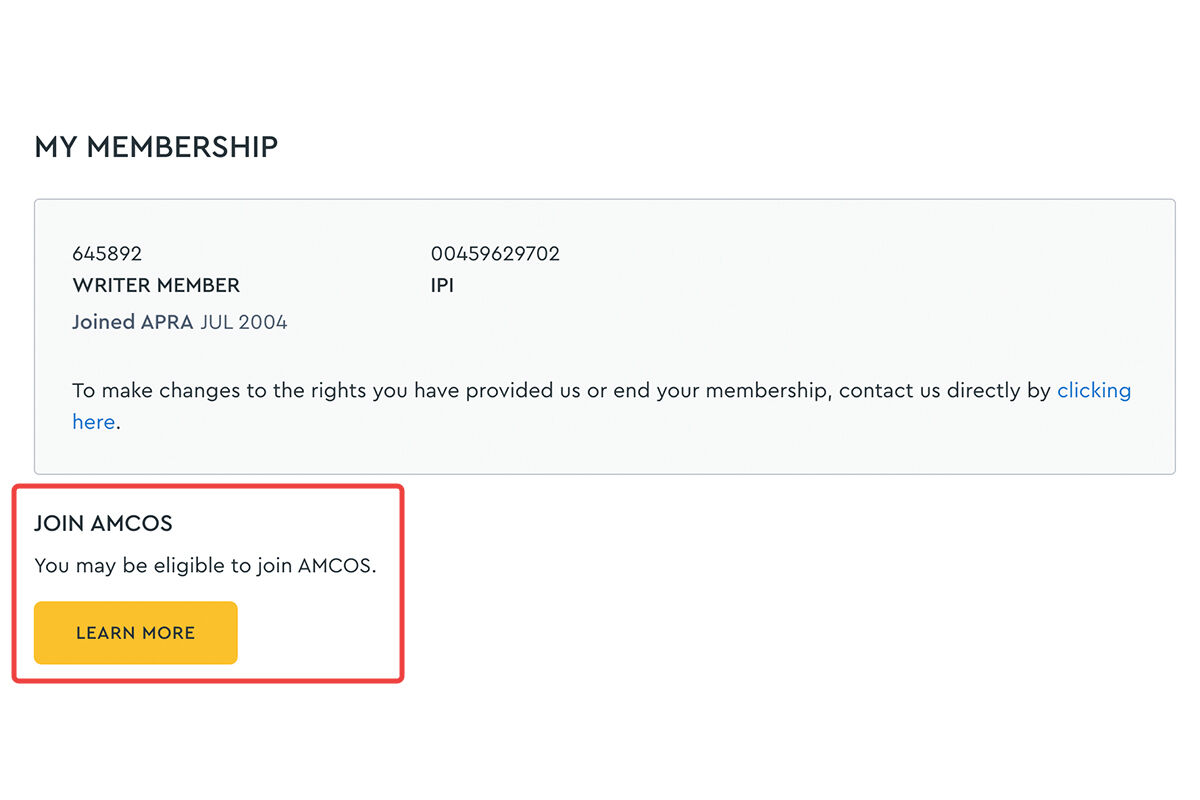
Open “My membership”
- This takes you to your membership and account settings
- In the left-hand navigation, select My membership
- Locate the Join AMCOS section
Click the Learn more button to see information about AMCOS and how it works.
Step 3:
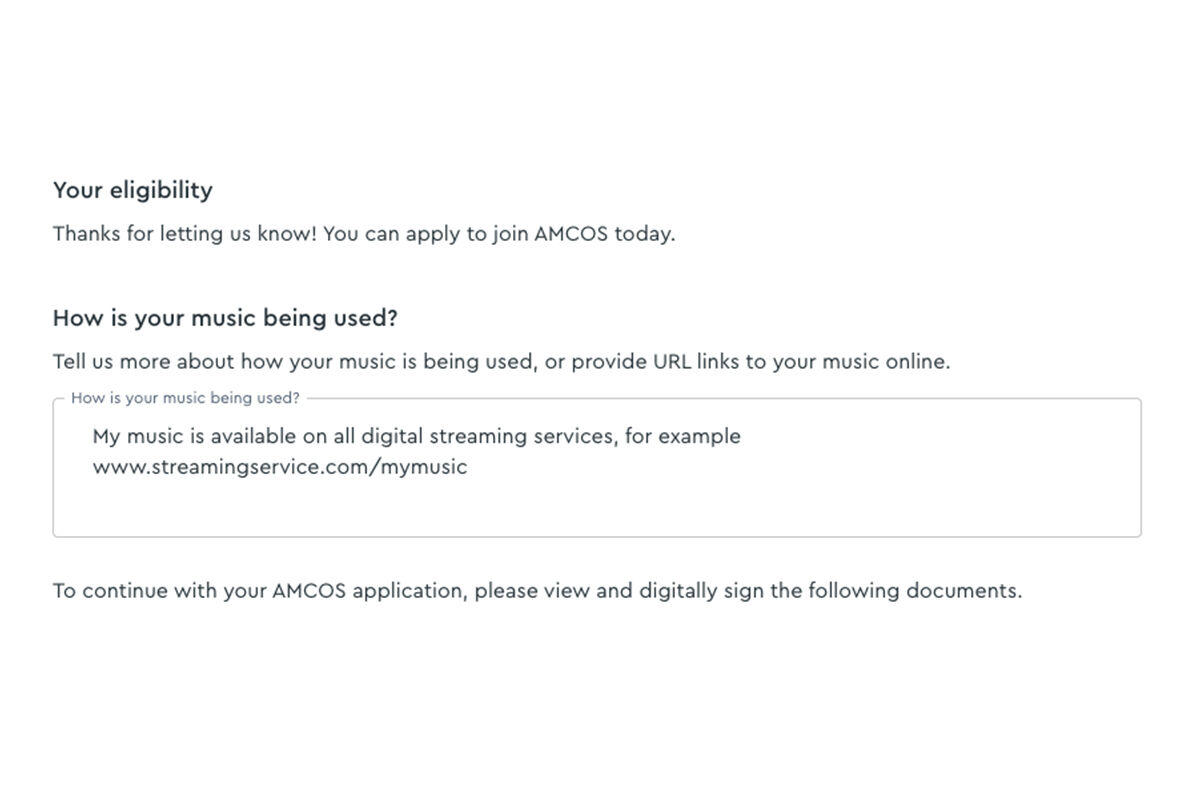
Complete the AMCOS application
If you wish to proceed to the application form, you will need to:
A) Confirm music usage
To help determine whether membership is really necessary for you at this stage, you will need to provide details or links showing how your music is used.
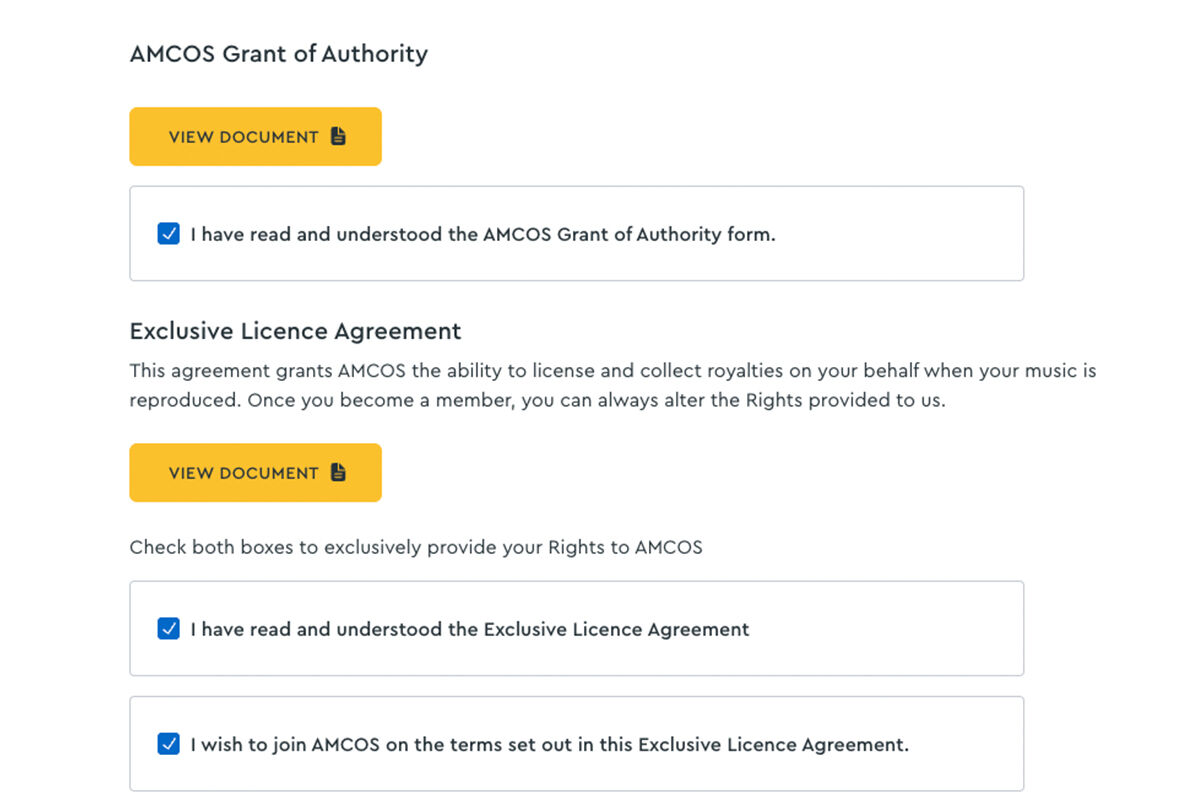
B) Review and accept key documents
You’ll be asked to read and agree to:
- The AMCOS Grant of Authority
- The AMCOS Exclusive Licence Agreement
These documents give us an exclusive licence to grant music users your reproduction rights, and collect and distribute any royalties that your works may earn.
While APRA AMCOS will always work diligently to collect and distribute AMCOS royalties from fees paid for the reproduction of your music, the extent and timeliness of collection and payment of those royalties depends on a number factors, including:
- the accuracy and timeliness of your work registrations,
- the identification of usage,
- the extent of licensing arrangements,
- the accuracy and timeliness of reporting from licensees,
- the policies and procedures involved for any international royalty distributions.
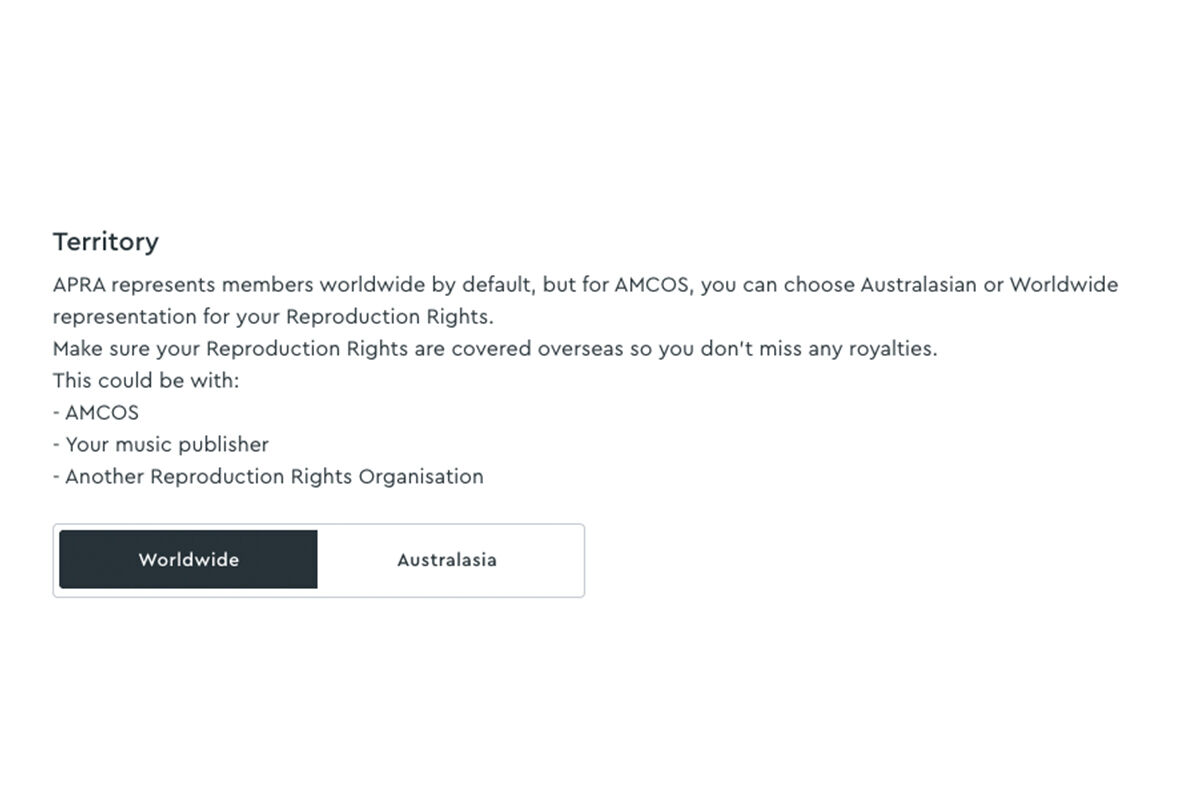
C) Choose your territory
To determine the territories you want AMCOS to administer, you can select either:
- worldwide; or
- Australasia only.
While APRA represents its members’ works globally by default, AMCOS allows you to choose whether to have AMCOS represent you only within Australasian territories or worldwide. If you select Australasian-only coverage, we recommend you still ensure your reproduction rights are represented in international territories, whether that is by another rights management organisation or otherwise.
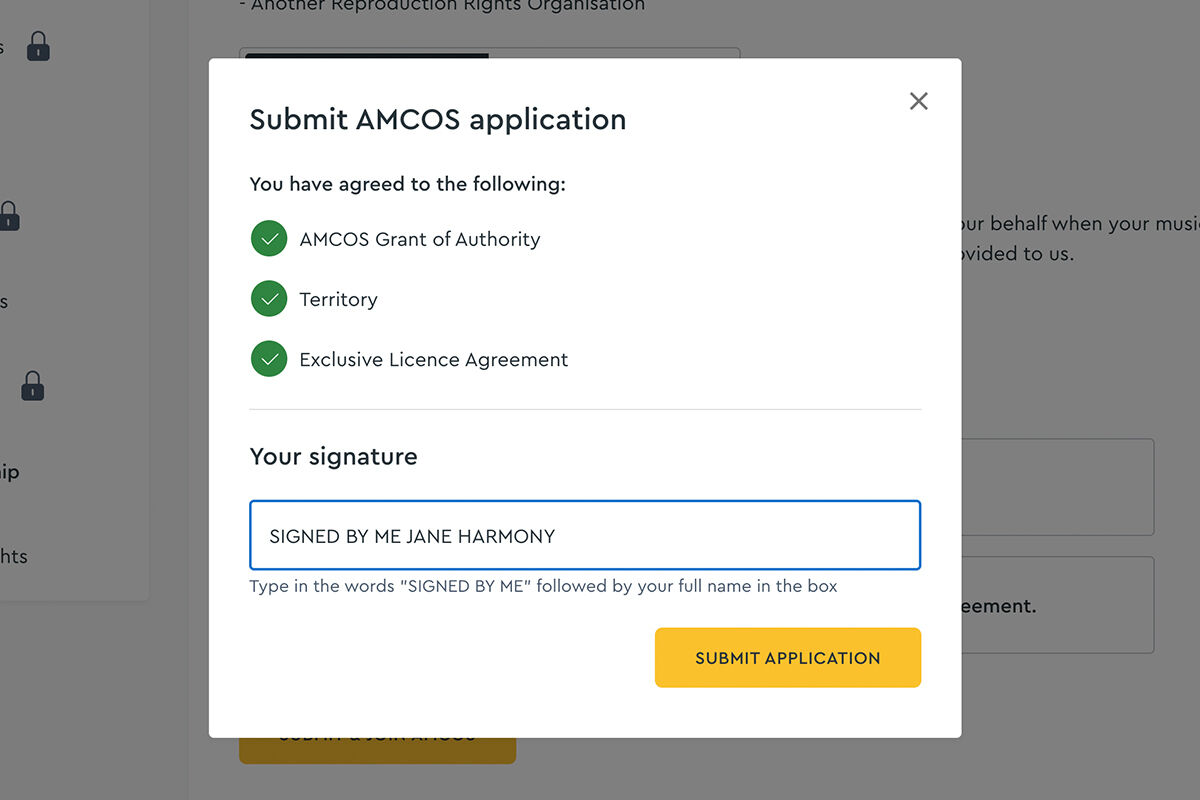
Step 4:
Sign and submit
- Enter your digital signature
- Submit your application
A confirmation screen will show that your application has been submitted.
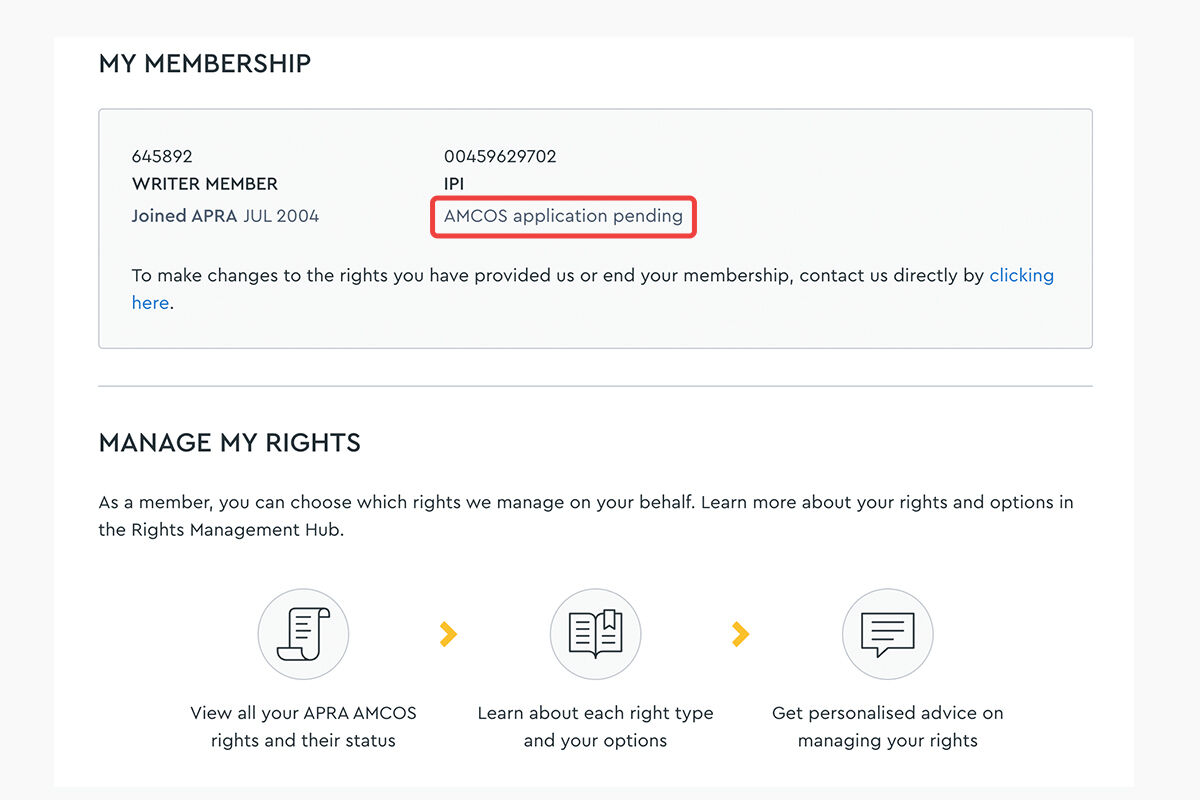
Step 5:
Application status
While your application is being reviewed, your status will display as “AMCOS application pending” under “My membership”
Making changes to your membership
The Rights Management Hub is also where you can:
- Review which rights APRA and AMCOS manage for you
- View your signed agreements
- Request changes, access forms or make updates to your rights
You can make enquiries via the portal or Contact Us.
Frequently asked questions
What is AMCOS?
AMCOS stands for the Australasian Mechanical Copyright Owners Society. We are not a publisher or aggregator. We are the sole Mechanical Rights Organisation (MRO) that licenses musical works to third parties for the Australian and New Zealand territory, and distributes mechanical royalties to writer and publisher members.
AMCOS membership is free to join and remains active throughout your lifetime.
Who can join AMCOS?
Joining AMCOS is separate from joining APRA. You may want to join AMCOS if you have unpublished works released on a recording for sale to the public or reproduced in a production music recording. You can join AMCOS if:
- You're a copyright owner of musical works;
- You don't already belong to an overseas mechanical rights organisation;
- At least one of your works is unpublished and has been commercially reproduced eg: available on a digital music service like Spotify or Apple Music, released as a physical product by a third party, or reproduced in a production music recording.
What does AMCOS collect?
AMCOS collects reproduction or “mechanical” royalties. These are generated whenever an original musical work is licensed by a third party and commercially reproduced or sold. This includes CD/DVD/vinyl recordings, digital downloads and streaming. Major labels, indie labels and digital service providers (DSPs), such as iTunes and Spotify, are licensed by AMCOS.
It is important to note that AMCOS royalties from digital service providers are a separate income stream from any payments you might receive from your distributor, aggregator or record label.
AMCOS also collects print mechanicals which are generated from the Schools Photocopying Distribution (SPD) and Schools Audio-Visual licences. It's free to join AMCOS - minimal commission costs are deducted from the royalties prior to being distributed to members.
Publisher vs AMCOS
AMCOS has reciprocal agreements with other affiliated societies around the globe – meaning you reproduction royalties are collected worldwide.
Some territories overseas require individuals to set themselves up as a Publisher or use a third-party music service to collect 100% of reproduction royalties, but as an AMCOS member you do not need to do this.
If all your songs or compositions are published, your music publisher will collect your reproduction royalties, and there's no reason to join AMCOS. AMCOS is primarily a royalty collection service and does not play the role of a music publisher. Find out what a music publisher does.