How do I make changes to my details
Editing contact and bank details
You can edit your contact details and banking details in the "My Account" section after you've verified your identity again. This is an added layer of security for protecting sensitive information.
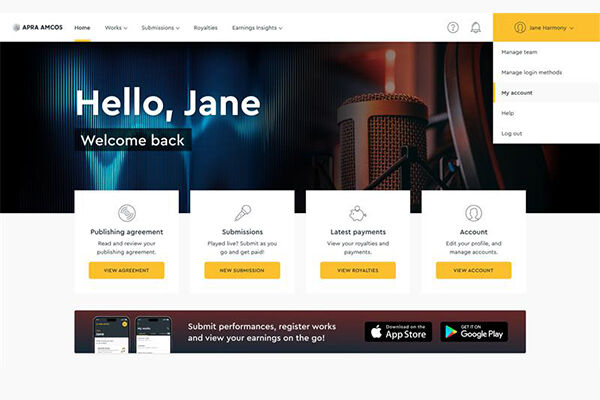
Step 1
Navigate to 'My Account' via the profile menu.
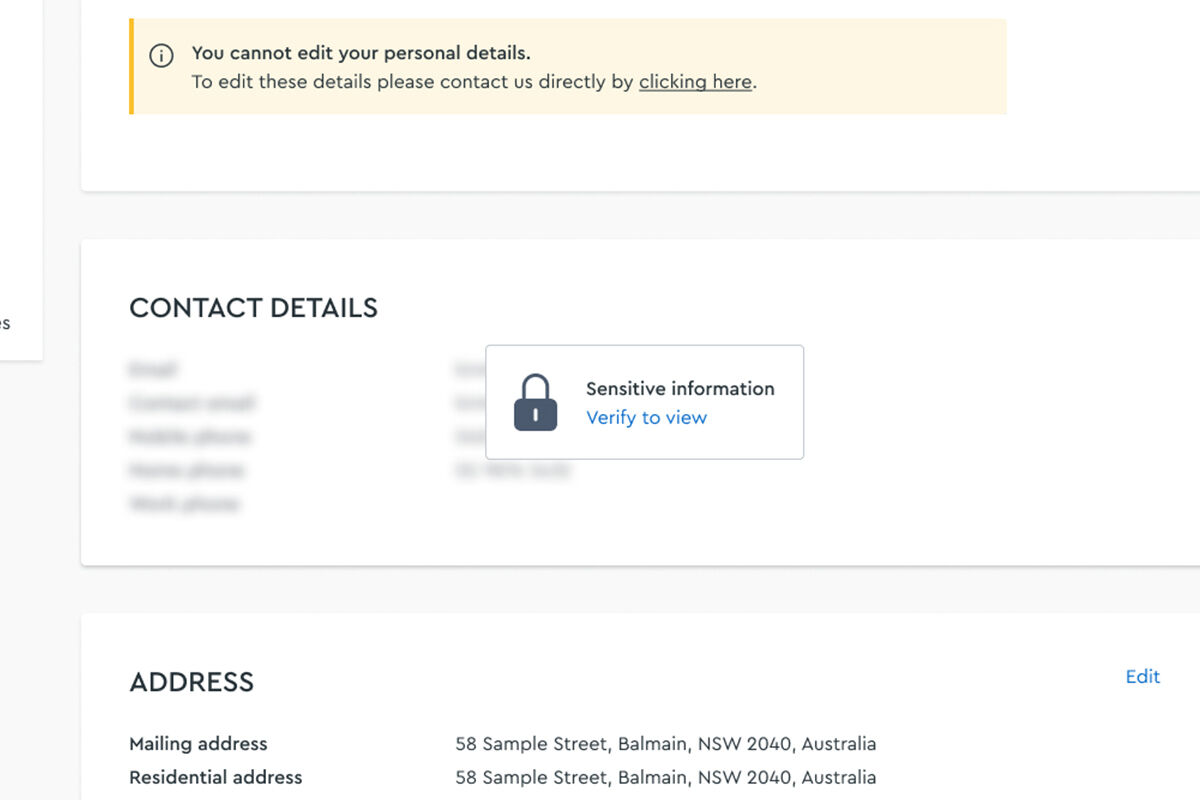
Sections that contain sensitive information are code protected.
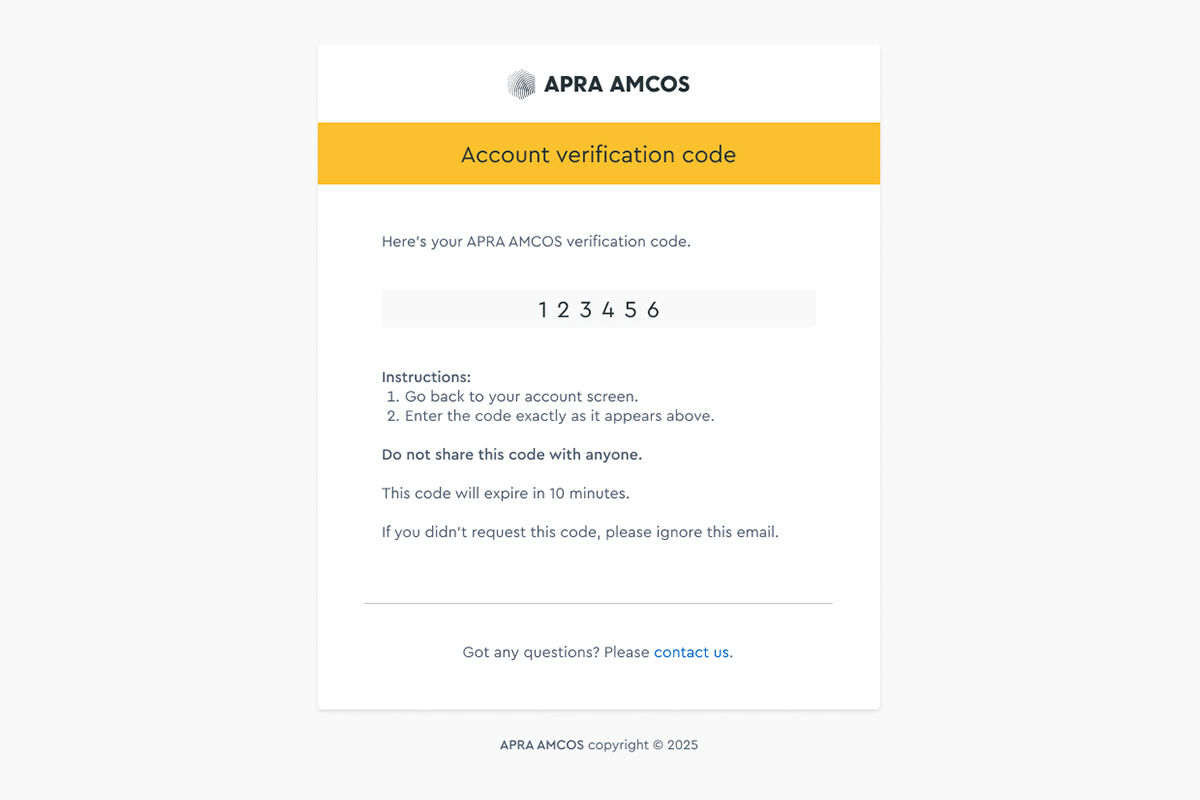
Step 2
Click on a locked section. You'll be sent a verification code.
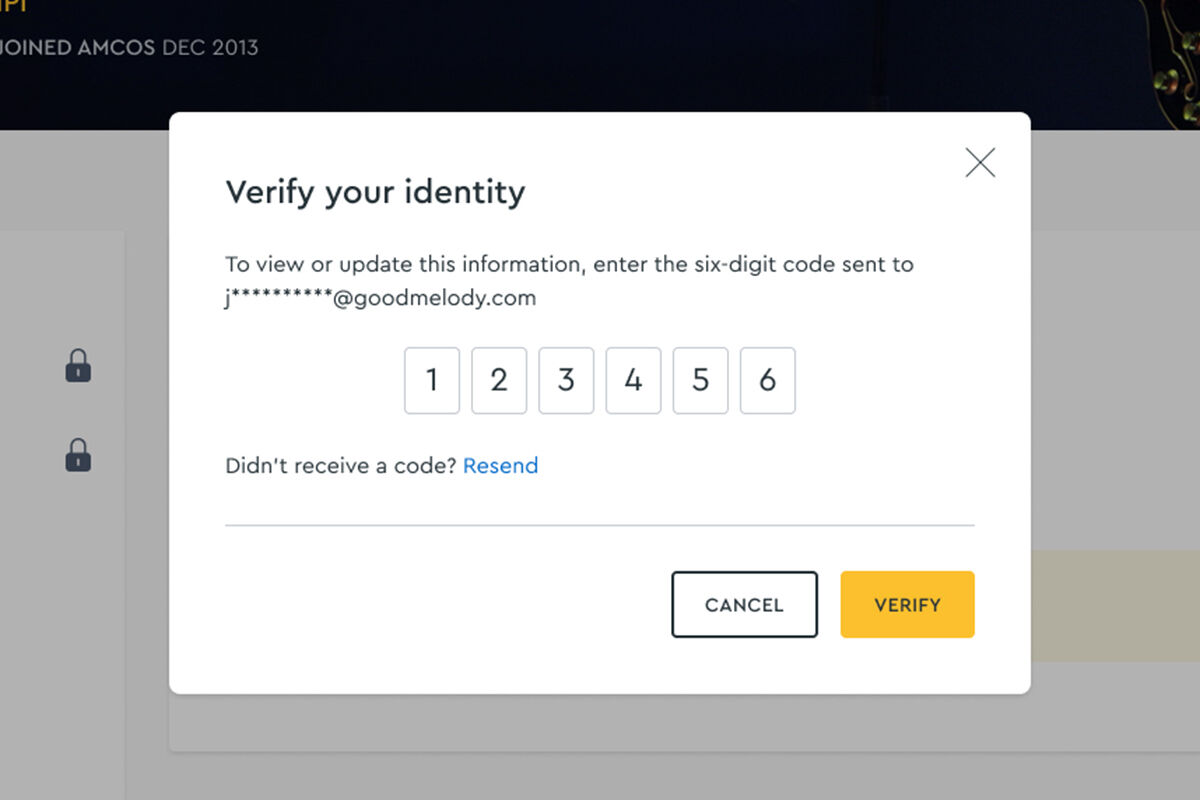
Step 3
Enter the verification code to view and edit your details
Code not receieved? Check junk/spam email folders. Click 'Resend' if necessary.
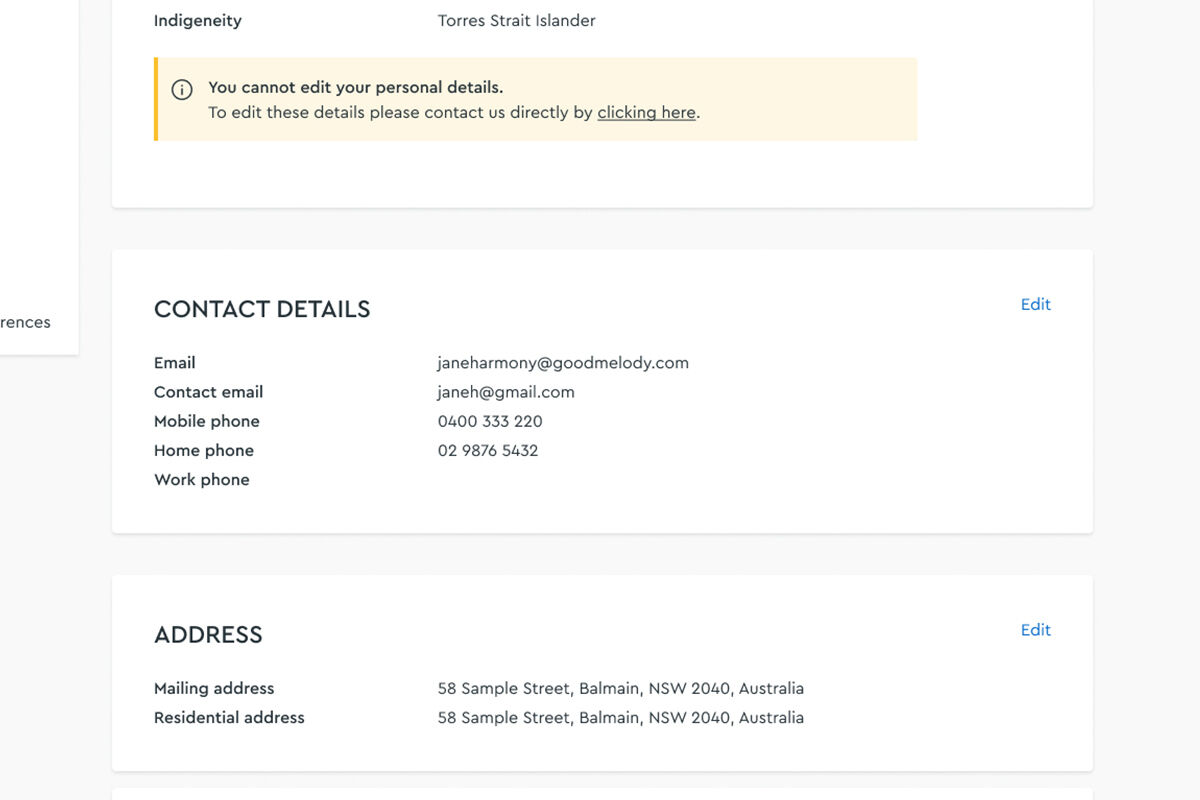
Step 4
Secure access is granted. You can view and edit contact and banking details.
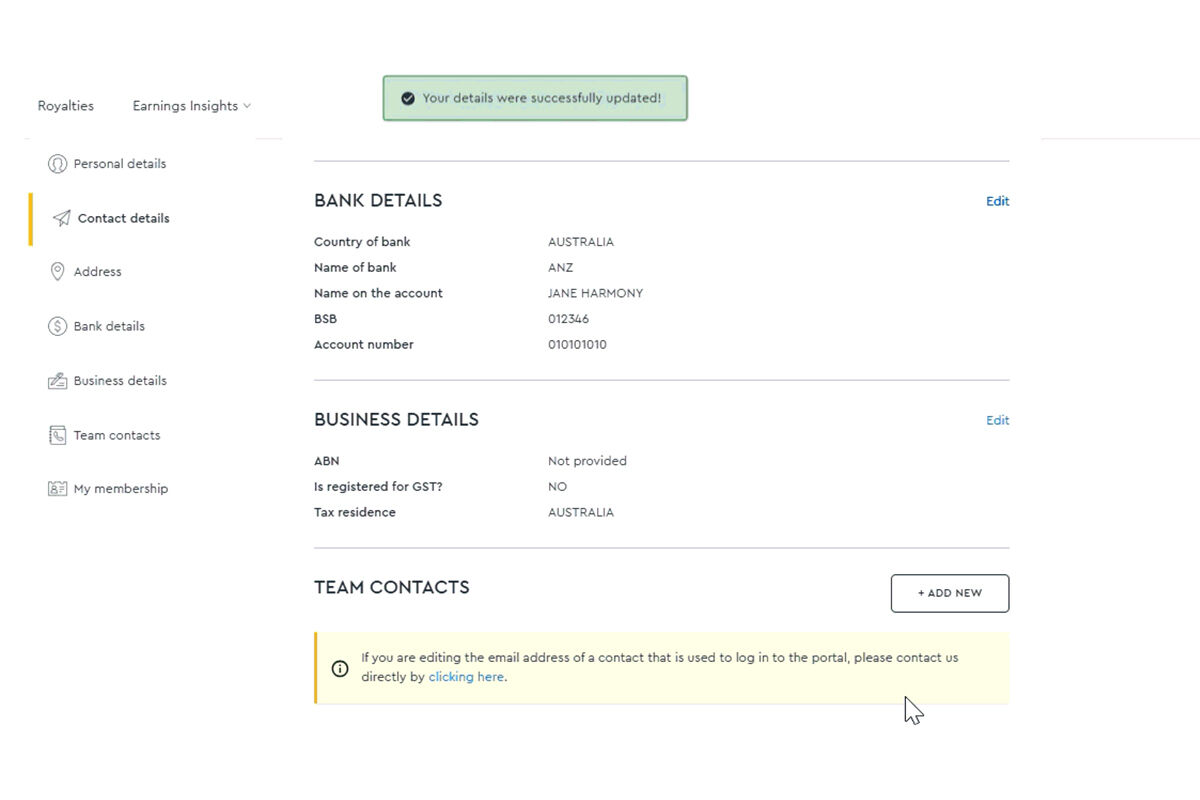
Step 5
A successful message onscreen to confirm your changes.
Got more Q's?
We've got them answered.
How do I log in to the Writer Portal?
In the 'Log in' menu on the website, choose 'Songwriters and composers' and then log in to your account. Enter your email address - the one you use for APRA AMCOS correspondence.
If it's your first time logging in, follow the steps to set up passwordless login.
What is passwordless login?
We use a simple, secure method to log you in – no passwords required. Just enter your account email and we will send you a one-time code. You can also log in with a passkey (Face ID, fingerprint, or your device unlock).